

Common Cookie Consent Errors in OneTrust with Tealium Integration
Cookie consent platforms such as OneTrust play a crucial role in helping websites comply with privacy regulations like GDPR (General Data Protection Regulation) and CCPA (California Consumer Privacy Act). These regulations require websites to obtain explicit consent from users before placing certain cookies, and to give users control over their data. However, complexities arise when:
- The consent banner or categories don’t display properly.
- Consent states aren’t correctly captured or propagated.
- Cookies fire prematurely before consent.
- Analytics data is lost due to blocking without fallback.
Troubleshooting involves systematically identifying where the failure occurs — whether it’s script blocking, configuration issues in tag management in Tealium, or integration mismatches — and then resolving those root causes. Debugging often requires use of browser developer tools, consent logs, and vendor-specific scans or consoles to verify consent states and script behaviours.
Effective debugging ensures that consent flows work smoothly, legal obligations are met, and marketing or analytics tools receive accurate user consent signals.
As shown in the image below, cookie consent categories such as Strictly Necessary, Targeting, Performance, and others are not displaying. To ensure these categories appear correctly, please follow the steps outlined below.
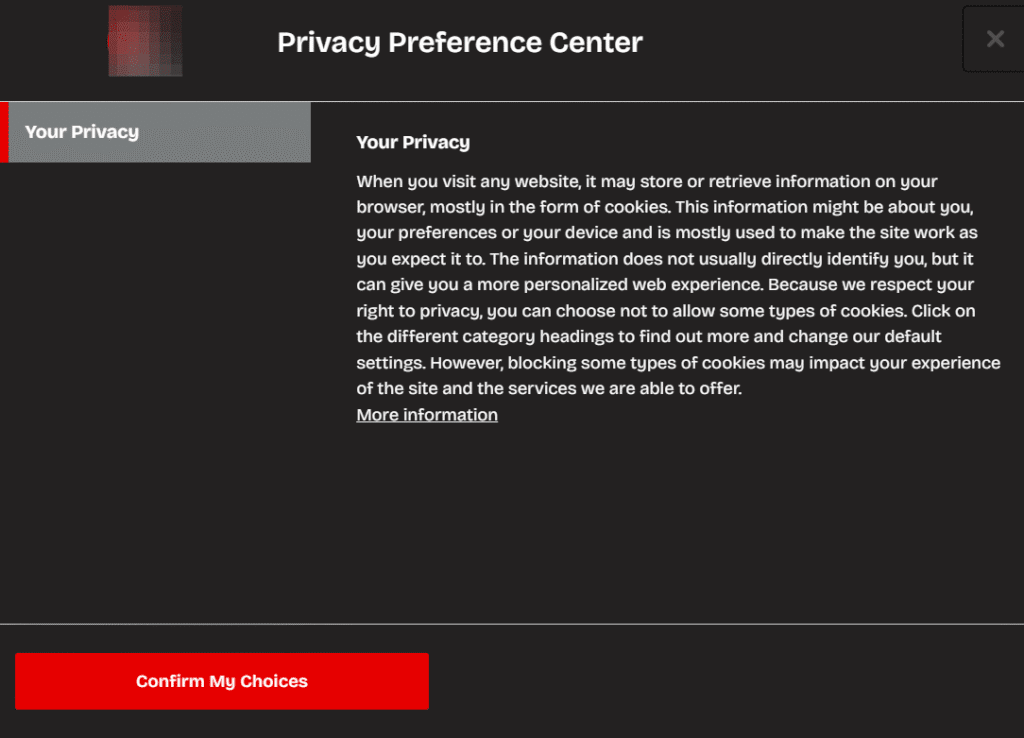
Illustration of Missing Cookie Consent Categories
Step 3: Publish the Latest Website Script
- Navigate to the Website Scripts section in OneTrust.
- Verify the published date and script version to confirm they are current.
- Publish the latest script version to production.
- In the Review sections, ensure Google Analytics tracking is enabled.
- For Single Page Application sites, enable SPA support.
- Use the “Publish Test and Preview” option before finalizing publication.
- Wait 2–5 minutes for propagation.
- Return to your Tealium profile.
- Re-enable all previously disabled OneTrust extensions and the Consent Preference Dialog.
- Save and publish your changes in Tealium to ensure the updates take effect.
Step 5: Clear Browser Cache and Verify Results
- Clear cookies and cache from your browser.
- Perform a hard reload using Ctrl+Shift+R (Windows/Linux) or Cmd+Shift+R (Mac).
- Open your website and confirm that the OneTrust cookie banner appears along with categories as expected.
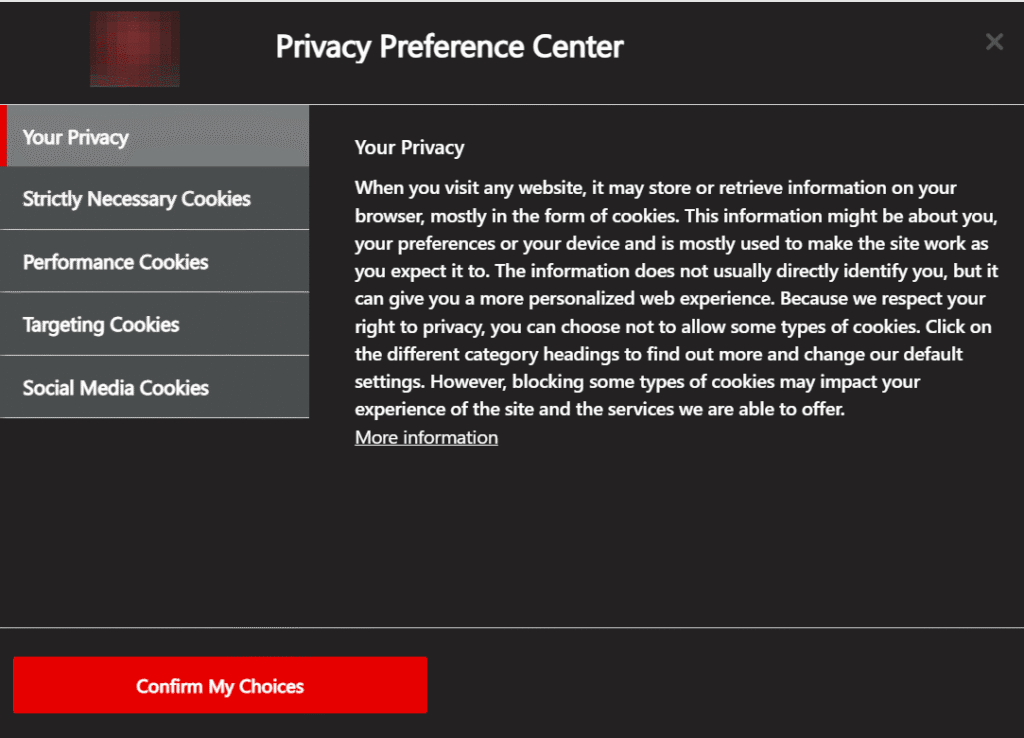
All Cookie Consent Categories Successfully Populated
Common Consent Integration Gotchas
Even with careful configuration, integrating OneTrust with Tealium for cookie consent can surface subtle challenges that disrupt data accuracy and compliance.
1. Purpose ID Confusion
There are times when the identifiers used for consent categories in OneTrust don’t correspond with what Tealium expects. This mismatch can result in cookies being managed incorrectly—either failing to block non-essential cookies or tagging data improperly. To prevent such issues, check your ID mappings whenever updating either system, and make sure testing covers all cookie categories that trigger tag rules.
2. Consent Update Delays
Sometimes, the user’s choice on the consent banner isn’t immediately reflected in tag firing or cookie control. This usually happens when consent updates travel asynchronously through scripts or are delayed in single-page applications. If tags or cookies appear before consent is finalized, adjust your Tealium load rules to wait for the definitive consent event before any dependent activity.
3. Tag Firing Sequence Problems
Essential and non-essential tags must only trigger once the user’s preferences are confirmed. If your setup allows tags to activate before consent is captured, initial analytics hits or marketing pixels may fire prematurely. Regular browser testing and monitoring in developer consoles can help catch improper sequencing and uncover load rule or extension order mistakes.
4. Losing Consent Consistency Across Domains
Maintaining a user’s consent choices as they navigate across subdomains or switch between devices is not always straightforward. If consent isn’t synchronized well, users might be asked for permission more than once or experience banner fatigue. Double-check your settings to ensure consent persistence, especially for journeys that cross domain boundaries.
5. Failure to Properly Record Consent Decisions
If cookies storing consent data are deleted, corrupted, or inconsistently managed by separate scripts, the system risks losing track of user choices. This might cause consent banners to reappear unnecessarily or allow tags to fire against a user’s choices. Test interaction flows routinely, and review audit logs to confirm that consent records are consistently applied after every update.
References:
OneTrust Developer Documentation
Comprehensive guide for integrating, customizing, and troubleshooting OneTrust’s cookie consent tools.
Tealium iQ Consent Manager Documentation
Official documentation for configuring and deploying Tealium’s consent management features.