

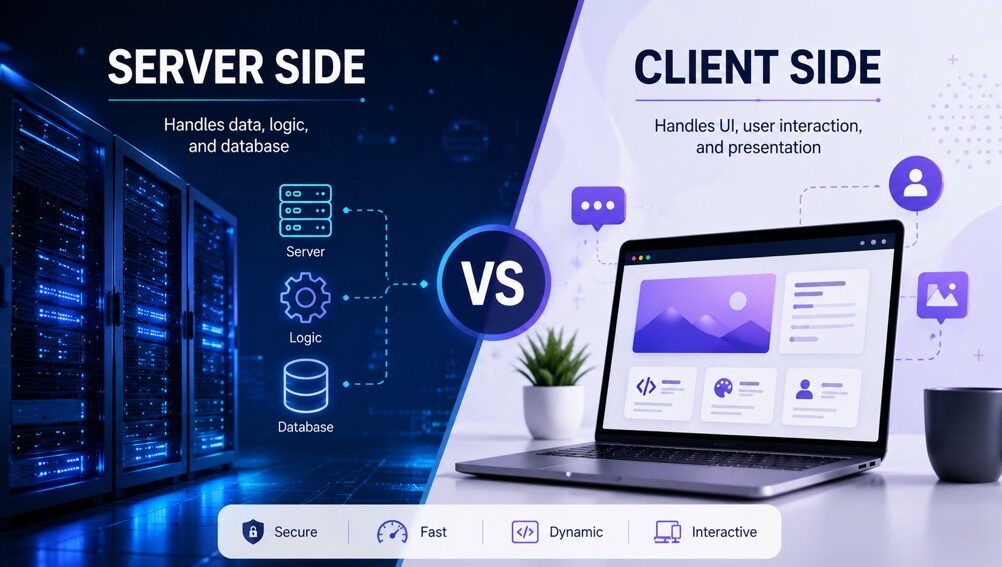

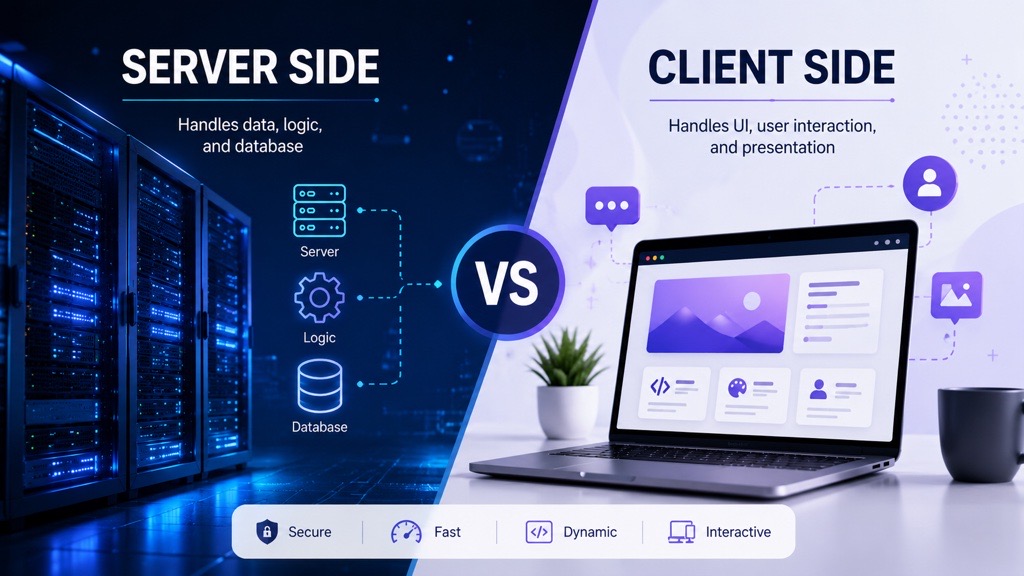
Most marketing teams trust their analytics dashboards, but a growing portion of the data behind them is never actually captured.
Between ad blockers, browser privacy restrictions, consent preferences, and the gradual phase-out of third-party cookies, a significant share of user interactions is lost before it ever reaches tools like Google Analytics or Meta Pixel. This doesn’t just create small gaps in reporting—it distorts attribution, weakens conversion tracking, and leads to decisions being made on incomplete or misleading data.
As a result, two websites with identical traffic can report completely different performance outcomes, depending on how and where their tracking is implemented. The difference often comes down to one critical factor: where your tags actually execute and how resilient they are to modern browser and privacy limitations.
This is where the distinction between client-side and server-side tagging becomes important. Both approaches are designed to capture and pass user interaction data, but they differ significantly in reliability, performance impact, and data control. In some setups, one can quietly lose a substantial portion of measurable events without any obvious signs in your reporting.
In this article, we’ll break down both approaches in detail, compare their strengths and weaknesses, and help you understand which setup gives you the most reliable and future-proof data foundation.
What is Client-Side Tagging?
Client-side tagging is the traditional way of tracking user activity on a website. In this approach, tracking happens directly in the user’s browser. When someone visits a website, their browser loads different tracking scripts (also called tags), which then collect and send data to tools like Google Analytics or advertising platforms such as Meta Pixel.
These tags are usually managed through systems like Google Tag Manager or Tealium iQ, making it easier to add or update tracking without changing the website code every time.
How Client-Side Tagging Works
In simple terms, everything happens inside the browser:
A user visits a website
The browser loads the page along with tracking scripts (JavaScript tags)
These tags capture user actions like page views, clicks, or form submissions
Each tag sends the collected data directly to different third-party platforms
So the flow looks like this:
User → Browser → Tags execute → Data sent to multiple external tools
Example
When a user opens a webpage, their browser may load several scripts at once one for analytics, one for ads, and maybe another for tracking user behavior. Each of these scripts works independently and sends data to its own platform.
Client-Side Tagging Architecture Diagram
   User (Browser)
│
▼
   Website (HTML, CSS, JS)
 │
 ▼
     Tag Management System (TMS)
        (Google Tag Manager / Tealium iQ)
  │
  ▼
        Tags (JavaScript-based Tracking Scripts)
 ┌────────────────┬───────────────┬───────────────────────┐
 ▼                ▼               ▼                       ▼
Analytics      Ad Platforms        Heatmaps            Other Tools
     (GA4)         (Meta Pixel)       (Hotjar)         (3rd-Party Tools)
Key Point: Each tool receives data directly from the browser, creating multiple outgoing requests.
Advantages of Client-Side Tagging
Easy to implement and manage
Client-side tagging can be set up quickly using tag management tools like Google Tag Manager and Tealium iQ. You don’t need to change the website code frequently, which makes it easier for both developers and marketers to manage tracking.Quick deployment of changes
New tracking tags or updates can be added and published almost instantly. This is useful when marketing teams need to track new campaigns or events without waiting for long development cycles.Real-time data collection
Since tags run directly in the browser, user actions like clicks, page views, and form submissions are captured immediately and sent to platforms like Google Analytics. This helps in monitoring website performance in real time.Flexible and easy to scale
You can easily add new tags for different tools, such as analytics, advertising, or user behavior tracking, as business requirements grow. This makes it suitable for websites that continuously evolve.Strong integration with third-party tools
Most marketing and analytics platforms, including Meta Pixel, are designed to work directly in the browser, making integration smooth and straightforward.No backend or server setup required
All tracking happens on the client side (browser), so there is no need for additional server infrastructure. This reduces technical complexity and setup effort.Widely adopted industry standard
Client-side tagging has been used for years and is supported by most analytics and advertising tools, making it a reliable and well-documented approach.
Limitations of Client-Side Tagging
Slower website performance
Since multiple tracking scripts run directly in the user’s browser, they can increase page load time. Each tag adds extra requests, which may affect overall website speed and user experience.Impact of ad blockers and browser restrictions
Many users use ad blockers or privacy-focused browsers that block tracking scripts. This can lead to incomplete or missing data, making analytics less accurate.Data loss due to browser limitations
Because everything depends on the browser, if a user leaves the page too quickly or the script fails to load, some data may not be captured or sent properly.Less control over data handling
Data is sent directly from the user’s browser to third-party tools like Google Analytics or Meta Pixel, which means businesses have limited control over how that data is processed and stored.Higher privacy concerns
Since tracking happens on the user’s device, it raises more privacy concerns, especially with increasing regulations and user awareness about data tracking.Dependency on the user’s browser
If the browser blocks scripts, has compatibility issues, or JavaScript fails to execute, tracking can break completely.Multiple third-party requests
Each tag sends data separately to different platforms, which increases network requests and can sometimes lead to inconsistent data across tools.
What is Server-Side Tagging ?
Server-side tagging is a modern approach to tracking user activity where data collection and processing happen on a server instead of directly in the user’s browser. In this method, the browser sends tracking data to a secure server first, and the server then decides how to process and forward that data to different analytics, marketing, or advertising platforms.
This approach is often used with tools like Google Tag Manager Server-Side or Tealium EventStream, which help manage and control data flow more efficiently without relying heavily on browser-based scripts.
A common misconception is that simply moving tracking tags from the browser to a server endpoint automatically means an organization has adopted true server-side tagging. In reality, if the server only forwards browser-collected data to third-party platforms without validating, enriching, or governing it, it is acting merely as a proxy. The real value of server-side tagging comes from using the server as a centralized control layer that can manage identity, enforce consent, enrich events with additional data, and intelligently route information before sending it to external tools.
How Server-Side Tagging Works
In simple terms, the tracking process is shifted outside the browser:
A user visits a website or interacts with it
Instead of multiple tracking scripts firing in the browser, the browser sends data to a server endpoint
The server receives the event data and processes it based on defined rules
The server then forwards the cleaned or modified data to different third-party tools
So the flow looks like this:
User → Browser → Server → Data processed → Sent to multiple external tools
Example
When a user opens a website, their browser does not directly send data to multiple analytics or marketing platforms. Instead, it sends the information to a server first. The server then checks the data, applies any rules (such as filtering or enrichment), and forwards it to tools like Google Analytics, Meta Ads, or other tracking platforms.
This means instead of multiple scripts running in the browser, the server handles the tracking logic in one central place, giving more control over how data is collected and shared.
Server-Side Tagging Architecture Diagram
        [ User]
           ↓
       [ Browser]
           ↓
     [ Single Endpoint]
           ↓
  -------------------------
  |       Server         |
  |   Data Processing    |
  |   (Filtering &       |
  |    Enrichment)       |
  -------------------------
      ↓         ↓         ↓
 [Analytics]  [Ads]     [CRM]
Key Point: Browser sends request to server, which then sends data to multiple tools.
Advantages of Server-Side Tagging
Improved Website Performance
Server-side tagging reduces the number of scripts executed in the user’s browser, which helps websites load more quickly. Faster loading times create a smoother browsing experience and can positively impact user engagement and conversions.More Accurate Data Collection
Unlike traditional client-side tracking, server-side tagging is less vulnerable to ad blockers and browser privacy restrictions. This allows businesses to capture more reliable and consistent analytics data.Enhanced Privacy and Security
With server-side tagging, sensitive information can be processed and filtered on the server before being shared with external platforms. This improves data security and supports compliance with privacy regulations.- Centralized Consent Enforcement
Instead of allowing each third-party vendor to independently interpret user consent, server-side tagging enables organizations to enforce consent centrally before data leaves their infrastructure. This creates more consistent privacy compliance and ensures that downstream platforms receive data only when the appropriate permissions have been granted. Greater Control Over Data
All tracking data passes through a centralized server, giving organizations better control over how information is managed. Data can be validated, standardized, or enriched before being forwarded to analytics and marketing tools.- Data Enrichment Before Distribution
Unlike client-side tagging, server-side tagging can enrich incoming events with information from trusted backend systems such as CRM platforms, customer databases, or product catalogs. For example, instead of sending only a product ID, the server can attach customer segments, loyalty status, lifetime value, or product categories before forwarding the event. This results in richer analytics and better marketing decisions while keeping sensitive information away from the browser.
Stronger First-Party Data Strategy
As third-party cookies continue to decline, first-party data is becoming more valuable. Server-side tagging helps businesses collect and manage their own data more effectively, supporting long-term marketing and analytics strategies.Lower Risk of Data Loss
Client-side tracking can fail due to slow internet connections, browser issues, or script blocking. Server-side tagging minimizes these risks by processing data directly through the server infrastructure.Easier Integration with Multiple Tools
A server-side setup can distribute data to multiple analytics and marketing platforms from a single source. This simplifies integrations and reduces duplication of tracking efforts.Long-Term Future Readiness
As digital privacy standards continue to evolve, server-side tagging provides a more sustainable and adaptable tracking solution for future analytics and marketing needs
Limitations of Server-Side Tagging
Complex Implementation Process
Server-side tagging involves a more advanced setup compared to traditional client-side tracking. Businesses often need experienced developers or technical teams to configure and manage the system properly.Higher Operational Costs
Since server-side tagging relies on dedicated server infrastructure, organizations may face additional expenses related to cloud hosting, storage, and server maintenance.Ongoing Maintenance Requirements
The server environment requires continuous monitoring, regular updates, and troubleshooting to ensure tracking accuracy and system stability.Longer Setup Time
Implementing server-side tagging can take more time than client-side tagging because it involves server configuration, testing, and integration with multiple platforms.Dependency on Technical Expertise
Debugging and optimizing server-side tagging setups can be challenging without strong technical knowledge. Teams may need specialized skills in analytics, cloud systems, and APIs.Potential Latency Issues
If the server infrastructure is not optimized properly, delays in data processing or transmission may occur, which can affect real-time tracking and reporting.Additional Infrastructure Management
Organizations are responsible for managing server resources, including scalability, security, and uptime, which increases operational responsibility.More Difficult Debugging Process
Unlike browser-based tracking, server-side tagging issues are often harder to identify and troubleshoot because data flows through backend systems rather than directly through the browser.Risk of Misconfiguration
Incorrect server settings or tracking configurations can lead to inaccurate analytics data, data duplication, or loss of important information.Limited Accessibility for Small Businesses
For smaller organizations with limited budgets or technical resources, server-side tagging may be difficult to adopt due to its cost and complexity.
Key Differences Between Client-Side and Server-Side Tagging
Feature | Client-Side Tagging | Server-Side Tagging |
|---|---|---|
Execution Location | Runs directly in the user’s browser | Runs on a dedicated server |
Data Flow | Data is sent from the browser to third-party platforms | Data passes through your server before reaching third parties |
Website Performance | Can slow down page loading due to multiple scripts | Improves frontend performance with fewer browser requests |
Data Accuracy | More likely to be affected by browser restrictions and ad blockers | Provides more reliable and consistent tracking |
Data Control | Limited control over collected information | Greater flexibility to modify and manage data |
Privacy Compliance | More difficult to manage privacy requirements | Easier to enforce privacy and compliance policies |
Impact of Ad Blockers | High impact on tracking accuracy | Reduced impact compared to client-side tracking |
Security | Data is exposed in the browser environment | Sensitive information remains protected on the server |
Implementation Complexity | Easier and faster to set up | Requires advanced setup and technical expertise |
Maintenance Requirements | Minimal maintenance | Requires server monitoring and ongoing management |
Scalability | Limited for complex tracking needs | Better suited for large-scale data processing |
Cost | Lower implementation cost | Higher infrastructure and maintenance costs |
Best For | Simple setups, smaller websites, basic tracking needs | Enterprise-level tracking, data-heavy environments, privacy-conscious or scalable analytics setups |
When to Use Client-Side Tagging
Client-side tagging is a good choice for businesses and websites that need a simple, fast, and cost-effective tracking solution. It works best in situations where advanced server infrastructure is not required.
Client-side tagging is most suitable when:
You need a quick and easy implementation process
Your website has basic or limited tracking requirements
Technical resources or development support are limited
Budget constraints make server infrastructure difficult to maintain
Real-time tracking and browser-based debugging are important
You are running small-scale marketing campaigns
Fast deployment is a priority
User interactions on the website need to be tracked instantly
Advanced data customization and privacy controls are not essential
Ideal Use Cases
Client-side tagging is commonly used for:
Small business websites
Blogs and portfolio websites
Basic analytics implementations
Simple advertising and remarketing campaigns
Organizations with limited technical expertise
Client-side tagging remains a practical solution for businesses looking for a lightweight and easy-to-manage tracking setup. Although it may have limitations in privacy, accuracy, and data control, it is still effective for straightforward analytics and marketing needs.
When to Use Server-Side Tagging
Server-side tagging is the right choice for organizations that require greater control, stronger privacy protection, and more reliable data collection. It is especially beneficial for businesses that depend heavily on analytics and digital marketing performance.
Server-side tagging is most suitable when:
Data privacy and regulatory compliance are top priorities
Accurate tracking and analytics are essential for business decisions
Your website handles large amounts of traffic and user data
Website speed and frontend performance are critical
You want more control over how data is processed and shared
Sensitive customer information needs additional protection
You need to reduce the impact of browser restrictions and ad blockers
Marketing attribution and campaign measurement are important
You want to strengthen your first-party data strategy
Advanced data customization and enrichment are required
Ideal Use Cases
Server-side tagging is commonly used for:
Large eCommerce websites
Enterprise-level businesses
Financial and healthcare platforms
Data-driven marketing organizations
Websites focused on privacy-first analytics
Businesses operating in regions with strict privacy regulations
Server-side tagging is best suited for organizations that prioritize performance, security, scalability, and accurate analytics. Although it requires more technical expertise and infrastructure, it provides long-term advantages in data management, privacy compliance, and tracking reliability.
Real-Life Example:
E-Commerce Website
Client-Side Tracking
In a traditional client-side setup, tracking tags are triggered directly from the user’s browser when actions occur, such as:
Viewing a product
Adding an item to the cart
Completing a purchase
While this approach is straightforward to implement and provides real-time user interaction data, it is increasingly affected by modern browser restrictions, consent choices, and ad blockers. As a result, some conversion events may not be captured accurately. Industry estimates suggest that businesses can lose around 10–30% of conversion data due to browser privacy features and tracking limitations, although the impact varies depending on browser usage, user consent, and implementation.
Common Challenges
Purchase events may not be recorded properly
Marketing attribution can become inaccurate
Analytics reports may show missing or inconsistent data
Server-Side Tracking
With server-side tracking, the browser first sends user activity data to a secure server. The server then:
Validates and processes the information
Filters or enriches the data if needed
Sends the final data to analytics and advertising platforms
This additional layer gives organizations greater control over data collection and processing. For e-commerce businesses, migrating purchase-event tracking to a server-side setup can recover approximately 15–30% of previously lost conversion data in some implementations. However, results vary depending on factors such as browser usage, consent rates, and implementation quality.
Benefits
More accurate conversion tracking
Improved attribution reporting
Reduced impact from ad blockers and browser restrictions
Better control over customer data
Banking or Financial Application
Client-Side Usage
In banking or financial apps, client-side tracking is typically used for basic frontend activities such as:
Tracking button clicks
Monitoring user interface interactions
Recording navigation behavior
This helps teams understand how customers interact with digital services while keeping sensitive financial processing separate from the browser.
Server-Side Usage
Sensitive operations are handled securely on the server side, including:
Processing financial transactions
Managing user authentication
Encrypting and transferring sensitive information
Verifying payment and account details
Server-side processing provides greater control over sensitive customer data and supports regulatory and security requirements. While it improves the reliability of critical event tracking, it complements rather than replaces client-side tracking for user interaction analysis.
Travel Booking Website
Client-Side Tracking
Used for tracking:
Search queries
Flight or hotel views
Booking attempts
This provides valuable insights into customer behaviour during the booking journey. However, browser restrictions, consent preferences, and ad blockers may prevent some booking-related events from being captured accurately.
Server-Side Tracking
Server processes:
Confirmed bookings
Payment confirmations
Customer transaction data
By processing confirmed events on the server, organizations can improve the accuracy of booking conversion measurement and revenue reporting. The extent of these improvements depends on implementation quality, browser usage, and user consent.
Benefits
Accurate booking conversion tracking
Reliable revenue reporting
Stronger attribution for marketing campaigns
These examples demonstrate how client-side and server-side tracking complement each other across different industries. Client-side tracking is well suited for capturing user interactions and website engagement, while server-side tracking provides greater control over data processing, improves the reliability of critical conversion events, and helps reduce data loss caused by browser restrictions. The benefits of either approach depend on factors such as implementation quality, browser usage, and user consent.
Why Server-Side Tagging is Growing
Server-side tagging is becoming increasingly popular in 2026 as businesses shift toward more privacy-focused, reliable, and performance-driven data strategies.
1. Stronger Privacy Regulations
Global privacy laws such as GDPR and CCPA have changed how organizations collect and manage user data. Businesses are now required to:
Maintain better control over user data
Clearly manage and respect user consent
Limit unnecessary data sharing with third parties
Server-side tagging helps companies comply with these regulations by allowing data to be filtered, anonymized, or restricted before it is sent outside the server.
2. Increasing Browser Restrictions
Modern browsers are becoming more privacy-centric. As a result:
Third-party cookies are being blocked or phased out
Tracking scripts are increasingly restricted
Browser-based data collection is becoming less reliable
Server-side tagging reduces dependency on the browser, making tracking more stable and future-proof.
3. Growing Demand for Accurate Data
Businesses today rely heavily on data-driven decision-making. However, client-side tracking often leads to missing or incomplete data.
Server-side tagging helps improve:
Data accuracy and consistency
Marketing attribution models
Overall reporting reliability
This allows businesses to make more confident decisions based on cleaner data.
4. Shift Toward First-Party Data
Companies are increasingly focusing on owning their data rather than relying on third-party sources. Server-side tagging supports this shift by strengthening first-party data collection and reducing dependency on external tracking systems. A key advantage of server-side tagging is the ability to establish stronger first-party identity management. By relying less on browser-controlled mechanisms and more on organization-controlled infrastructure, businesses can create a more durable foundation for analytics, personalization, and customer journey measurement.
5. Better Digital Performance Expectations
Users expect fast-loading websites and smooth experiences. Server-side tagging helps by reducing the number of scripts running in the browser, improving page speed and overall performance.
Hybrid Approach: The Best of Both Worlds
Many organizations are now moving toward a hybrid tagging model, which combines both client-side and server-side tagging to get the advantages of each approach while minimizing their limitations.
In this setup, tracking is split based on the type and importance of data being collected.
How the Hybrid Model Works
Client-side tagging is used for basic user interactions such as page views, clicks, and UI behavior tracking.
Server-side tagging handles more sensitive, critical, or high-value events such as purchases, sign-ups, and payment transactions.
Why Businesses Use a Hybrid Approach
This combined model helps organizations:
Balance implementation simplicity with advanced data control
Improve website performance while maintaining tracking accuracy
Reduce dependency on browser-based limitations
Optimize both cost and infrastructure usage
Ensure better handling of sensitive or regulated data
Example Use Case
For an e-commerce platform:
Product browsing and clicks are tracked in the browser (client-side)
Checkout completion and payment confirmation are processed on the server (server-side)
This ensures smooth user experience tracking while maintaining accurate and reliable conversion data. Many organizations also adopt a phased migration strategy instead of moving entirely to server-side tagging at once. They initially migrate high-value events such as purchases and sign-ups to the server while continuing to track simpler interactions in the browser. This approach allows businesses to modernize their tracking architecture gradually without disrupting existing analytics implementations.
A hybrid tagging approach is often the most practical solution for modern businesses. It provides flexibility by combining the simplicity of client-side tracking with the reliability, security, and control of server-side tagging.
Final Thoughts
Choosing between client-side and server-side tagging goes beyond a technical setup-it is ultimately a strategic decision that impacts performance, data quality, and long-term scalability.
As privacy regulations become stricter and browser limitations continue to evolve, server-side tagging is gaining importance as a more reliable and future-ready approach. It offers stronger control over data, improved accuracy, and better alignment with modern privacy expectations. However, client-side tagging still remains relevant due to its simplicity, faster implementation, and lower cost.
The right choice depends on your organization’s goals, available technical resources, and compliance requirements. Understanding both approaches allows you to design a tracking system that is efficient, flexible, and prepared for future changes in the digital ecosystem.
Rather than viewing them as competing methods, many businesses now see client-side and server-side tagging as complementary. Client-side tagging is often ideal for basic and quick tracking needs, while server-side tagging is better suited for advanced analytics, sensitive data handling, and performance optimization.
The true value of server-side tagging is not simply shifting tracking from the browser to a server. Its biggest advantage lies in creating a centralized control layer where identity management, consent enforcement, event enrichment, and data routing can all be managed consistently. Organizations that build this foundation are better positioned to deliver accurate analytics, stronger first-party data strategies, and more reliable digital experiences.
For businesses planning long-term growth, adopting server-side tagging is more than just a technical enhancement-it is a step toward better data ownership, improved website performance, and a more sustainable analytics strategy in an increasingly privacy-focused world.
Whether you’re evaluating client-side tracking, server-side tracking, or a hybrid approach, Dexata helps enterprise marketing teams identify the right measurement strategy for their business. Get in touch to learn how we can help improve data quality, attribution, and marketing insights.
Get Your MarTech Value Audit
Identify underutilised capabilities and high-impact optimisation opportunities.
About The Author

Krishna
Results-driven MarTech Specialist with a strong passion for leveraging data to optimize customer journeys and marketing outcomes. Proficient in Tealium iQ and AudienceStream, excelling at tag management, real-time audience segmentation, and unified data strategy. Experienced in delivering actionable analytics, orchestrating personalized campaigns, and connecting cross-channel insights to boost digital growth. Dedicated to bridging marketing and technology with a commitment to privacy and measureable innovation

Rohit Chauhan
Results-driven MarTech Consultant with over 5 years of experience in digital analytics, data collection, and customer data activation. Skilled in Google Analytics, Google Tag Manager, Server-Side Tracking, CAPI, Tealium iQ, OneTrust, Consent Mode, and CDP implementations, with a strong focus on building reliable data ecosystems. Experienced in web and app tracking, reporting, and translating complex datasets into actionable insights that drive business growth, improve customer experiences, and support privacy-first marketing strategies

Connect with Krishna